 2016 Volkswage...
 2016 Volkswage...
 2022 Volkswage...
 Volkswagen Gol...
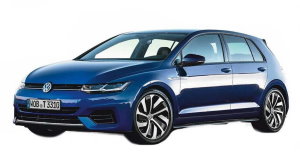 2020 Volkswage...
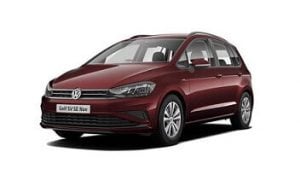 2009 Volkswage...
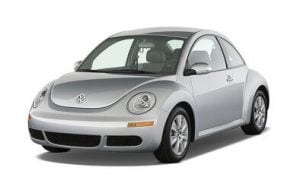 2016 Volkswage...
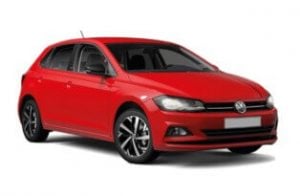 2021 Volkswage...
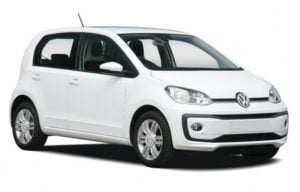 2014 Volkswage...
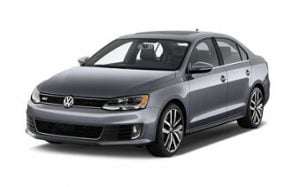 2015 Volkswage...
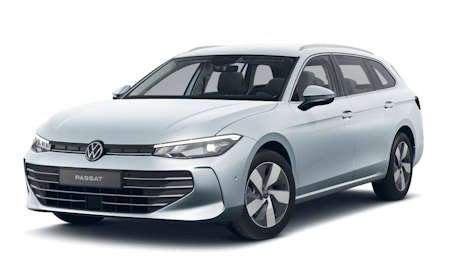 2026 Volkswage...
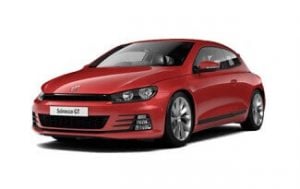 2015 Volkswage...
 2019 Volkswage...
2025 Volkswagen ID.3 Owner's Manual
 (1 votes, average: 5.00 out of 5)
 Loading...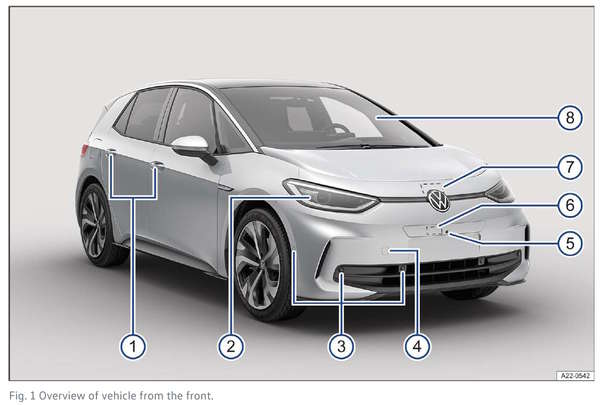
2025 Volkswagen ID.3 Owner’s Manual — Questions and Answers
How do I know the front passenger airbag is turned on in my 2025 Volkswagen ID.3?
The instrument cluster shows a dedicated indicator light labeled “Front passenger’s front airbag enabled” once the system is active. If the airbag has been deactivated instead, the cluster switches to the opposite light, “Front passenger’s front airbag switched off,” so you always see the current state. Symbols in the instrument cluster, p. 13
Can I keep driving my 2025 Volkswagen ID.3 if the high-voltage system malfunction light comes on?
No. This is a Priority 1 warning paired with “Do not continue to drive!” so you must stop as soon as safely possible.
- High-voltage system malfunction warning appears with the instruction “Do not continue to drive!”
- A related “Only maneuvering is possible” light means the car can only be moved short distances, not driven normally
Symbols in the instrument cluster, p. 14
Where are the cruise control buttons located on a 2025 Volkswagen ID.3?
The cruise control controls are on the multi-function steering wheel: a button on the left-hand side selects the system, while a button on the right-hand side switches it on and adjusts the saved speed. Operating the cruise control system, p. 222
What’s the procedure for setting and resuming cruise control in a 2025 Volkswagen ID.3?
First turn the system on, then start regulating your speed before adjusting it as needed.
- Press the left-hand steering wheel button repeatedly until the cruise control system is selected
- Press the right-hand button or wait briefly to switch the system on
- Press the button again while driving to save and start controlling your current speed
- Tap gently to nudge speed by 1 km/h (1 mph), or press firmly or swipe for 10 km/h (5 mph) jumps
- Press and hold a button to change the stored speed continuously
- Press the button briefly to cancel regulation, keeping the speed stored
- Press the button again to resume and maintain the saved speed
Operating the cruise control system, p. 222
When should wireless charging start after I place my phone on the pad in a 2025 Volkswagen ID.3?
Charging begins automatically once you set a Qi-certified phone face-up on the center console pad. The infotainment system alerts you when the process starts and warns if metal objects are detected in the compartment first. Charging Options for Mobile Devices, p. 315
Why isn’t wireless phone charging working in my 2025 Volkswagen ID.3?
If charging fails, the Qi symbol on the infotainment display turns red, meaning wireless charging isn’t currently possible.
- The phone isn’t Qi-certified, which can limit or block charging
- A protective case or other foreign object is still on the phone or pad
- Metal objects are sitting in the storage compartment with the phone
- The wireless charging function has been manually switched off in the infotainment system
Charging Options for Mobile Devices, p. 315
What do I need on hand to take out the luggage compartment cover on a 2025 Volkswagen ID.3?
No special tools are required. You just unhook the top retaining straps from the trunk lid, then push the cover out of the side holders from below to free it from the luggage compartment.
- Top retaining straps attached to the trunk lid
- Side holders in the luggage compartment
- The cover panel itself, no wrench or screwdriver needed
Luggage compartment cover, p. 417
What’s the difference between Climatronic automatic mode and manually adjusting functions on a 2025 Volkswagen ID.3?
Automatic Climatronic mode senses cabin needs and adjusts temperature, air distribution and airflow volume on its own. For manual control, you touch and hold a function in the climate control bar, then pick your preferred setting from the overview that pops up, letting you override the automatic choices for that function. Overview of the Climatronic, p. 165
How many seconds do I need to hold the switch to close the sunshade without pinch protection on a 2025 Volkswagen ID.3?
Swipe backward on the function key and hold it for up to 5 seconds until the sunshade fully closes. Letting go before it’s shut causes the sunshade to reopen automatically. Overview of the Climatronic, p. 165
What does the blue high beam light mean on a 2025 Volkswagen ID.3 instrument cluster?
The blue indicator light comes on whenever the high beam headlights or the headlight flasher are switched on. If automatic high beam control, called Light Assist, is active and controlling the beams itself, a separate white indicator light also appears alongside it. Switching the high beam headlights on and off, p. 137
How do I turn off the Light Assist high beam control on a 2025 Volkswagen ID.3?
You can disable the automatic high beam system a couple of ways depending on its current state.
- Switch off the automatic headlights setting to disable Light Assist entirely
- If Light Assist is on and actively controlling the beams, pull the steering column lever backward
- If Light Assist is on but not currently active, push the lever forward, which turns on manual high beams
- Pull the lever backward again to switch off those manual high beams if needed
Switching the high beam headlights on and off, p. 137
We also have owner's manuals for other vehicle years:
- 2026 Volkswagen ID.3
- 2024 Volkswagen ID.3
- 2023 Volkswagen ID.3
- 2022 Volkswagen ID.3
- 2021 Volkswagen ID.3
- 2020 Volkswagen ID.3
- 2019 Volkswagen ID.3
 Dimitri Shtreicher
Enthusiast and big cars lover!

Need help?
Ask your question on the page Need Help!
 2027 Volkswagen ID.4
  2027 VW T-Cross
  2027 VW Taigo
  2027 Volkswagen ID.7
  2026 Volkswagen Atlas
VWMANUALS.ORG
Volkswagen Owner's Manuals - view owner's manuals for VW cars in PDF for free! Choose all models: Golf, Polo, Passat, Jetta, Toureg, Touran, Atlas, Transfomer!
Follow Us